
How to Refine Results
Apply Search Filters
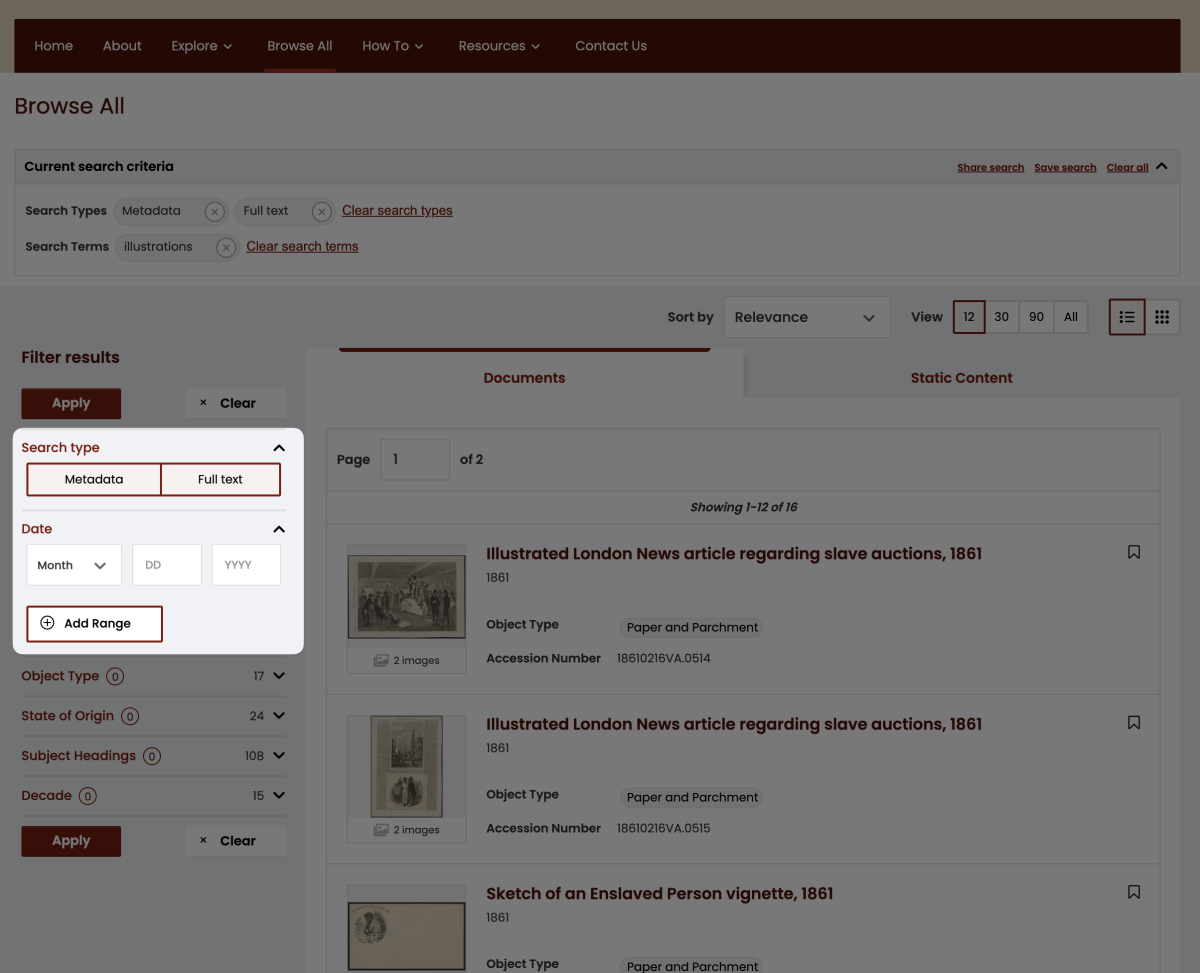
By default, a site-wide search returns results with the desired term or phrase found either in the metadata and/or in any full-text transcript.
To refine your results, try applying one or more filters.
- Search type – Displays when a user has arrived via a keyword search (versus navigating via “Explore”). De-select Metadata or Full text and click Apply to limit results.
- Date – Supply as much detail as desired; only returns records with numerical dates
Controlled Vocabulary Filters
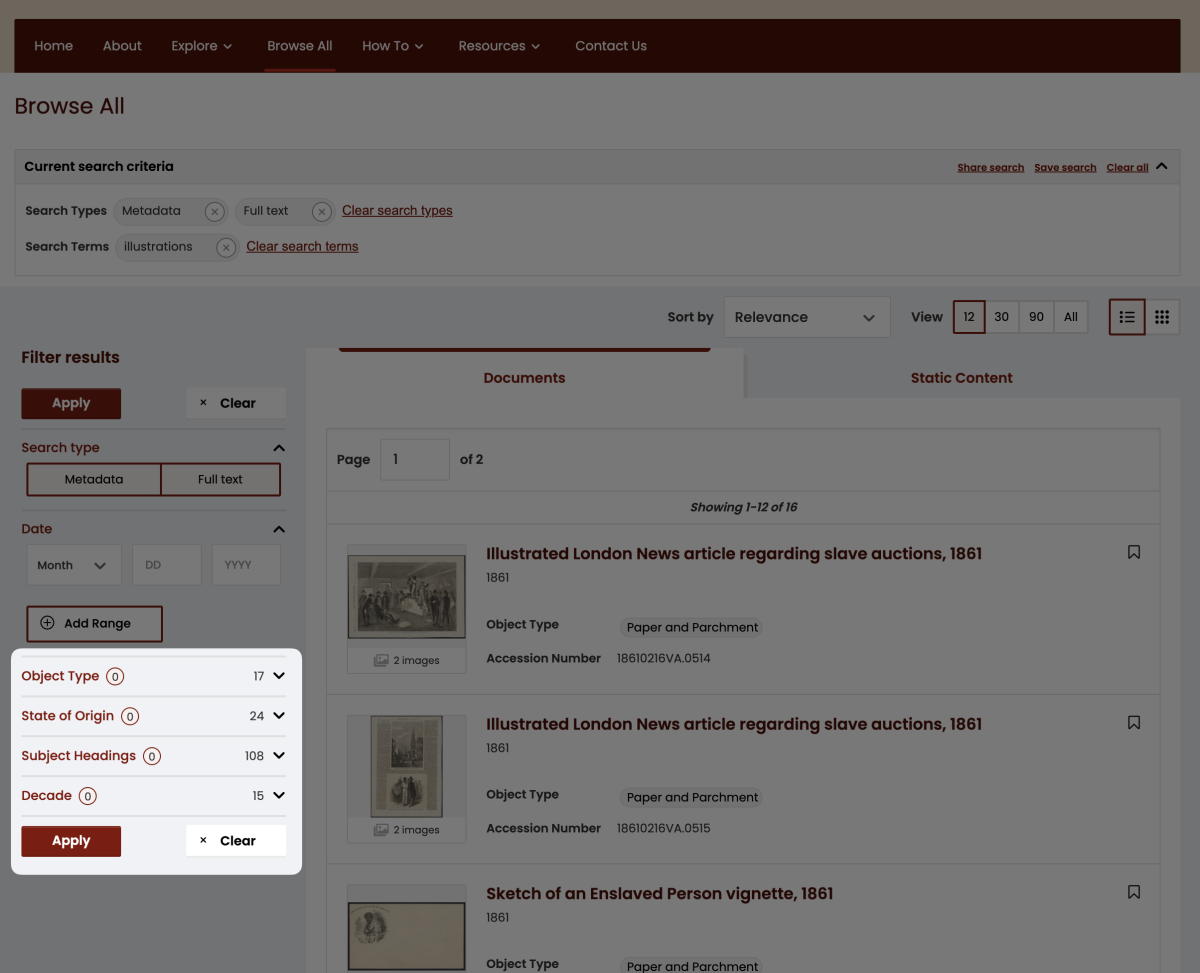
In addition, results can be filtered by the following Controlled Vocabulary fields: Named Person(s), State of Origin, Subject Headings or Object Type. These filters present a list of terms based on metadata. Click the arrow on the right to view the list of terms and make your selections. The number displayed beside the arrow indicates the number of available terms. The number displayed in the circle to the right of the filter name indicates the number of terms selected.
Once one or more terms are selected, be sure to click Apply.
Apply Search Filters
By default, a site-wide search returns results with the desired term or phrase found either in the metadata and/or in any full-text transcript.
To refine your results, try applying one or more filters.
- Search type – Displays when a user has arrived via a keyword search (versus navigating via “Explore”). De-select Metadata or Full text and click Apply to limit results.
- Date – Supply as much detail as desired; only returns records with numerical dates
Controlled Vocabulary Filters
In addition, results can be filtered by the following Controlled Vocabulary fields: Named Person(s), State of Origin, Subject Headings or Object Type. These filters present a list of terms based on metadata. Click the arrow on the right to view the list of terms and make your selections. The number displayed beside the arrow indicates the number of available terms. The number displayed in the circle to the right of the filter name indicates the number of terms selected.
Once one or more terms are selected, be sure to click Apply.